.png)
How to set frequency and type of study invitation emails?
In your Focus Group profile settings, you can set how often you’d like to receive study invitation emails and what types of studies interest you. You can customize your preferences, whether you’re interested in Online Surveys, Focus Group Research Studies, or both. You can also choose the frequency of emails per day as low, medium, or high.
Below is the step-by-step guide:
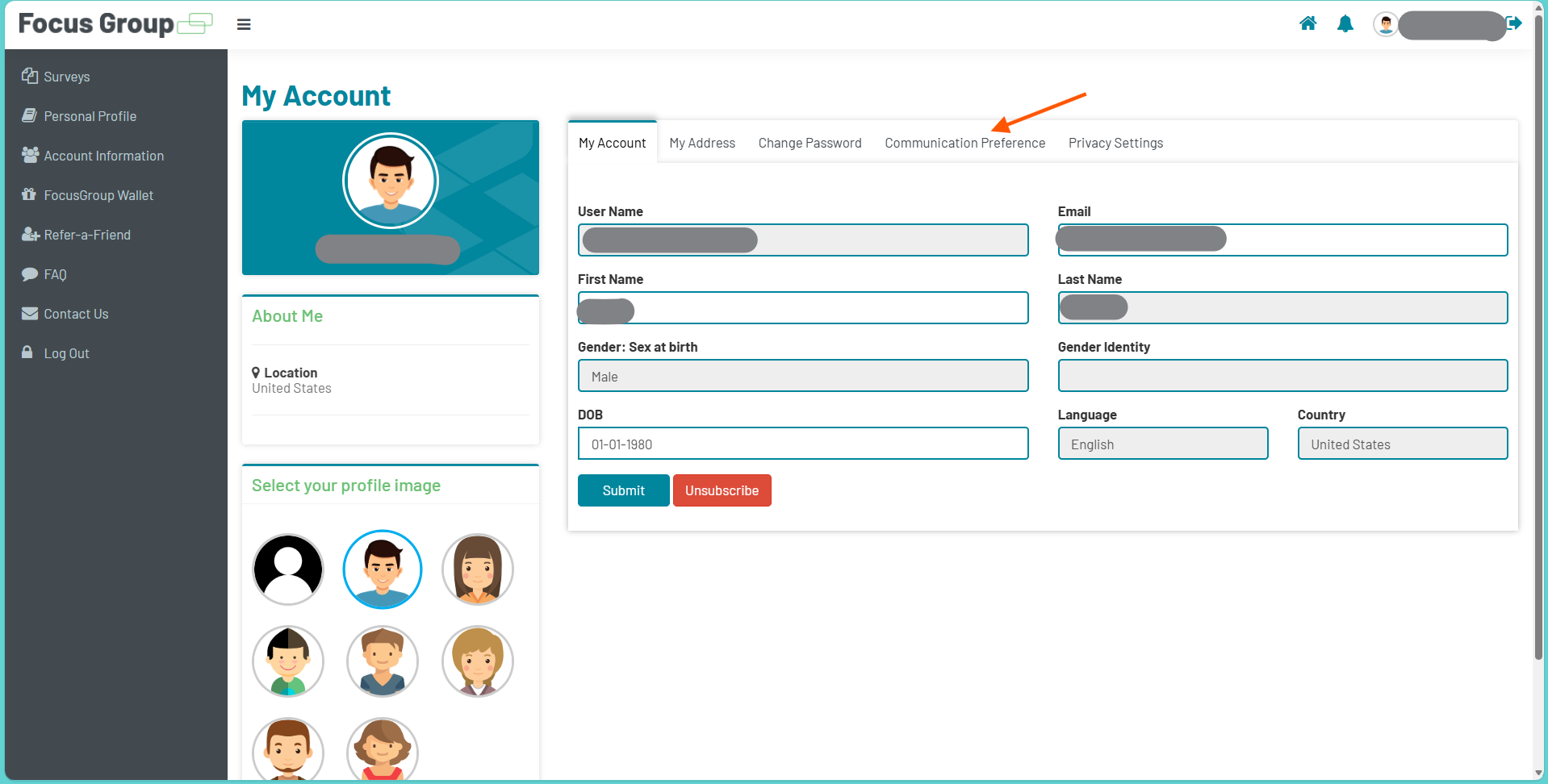
1. In your Focus Group profile, go to the Account Information page and click the Communication Preference tab.
2. Select your invitation preference. You can select Online Survey Opportunities only, Focus Group Research Studies only, or both Online Survey Opportunities and Focus Group Research Studies. Use the On/Off switch to choose your preference.
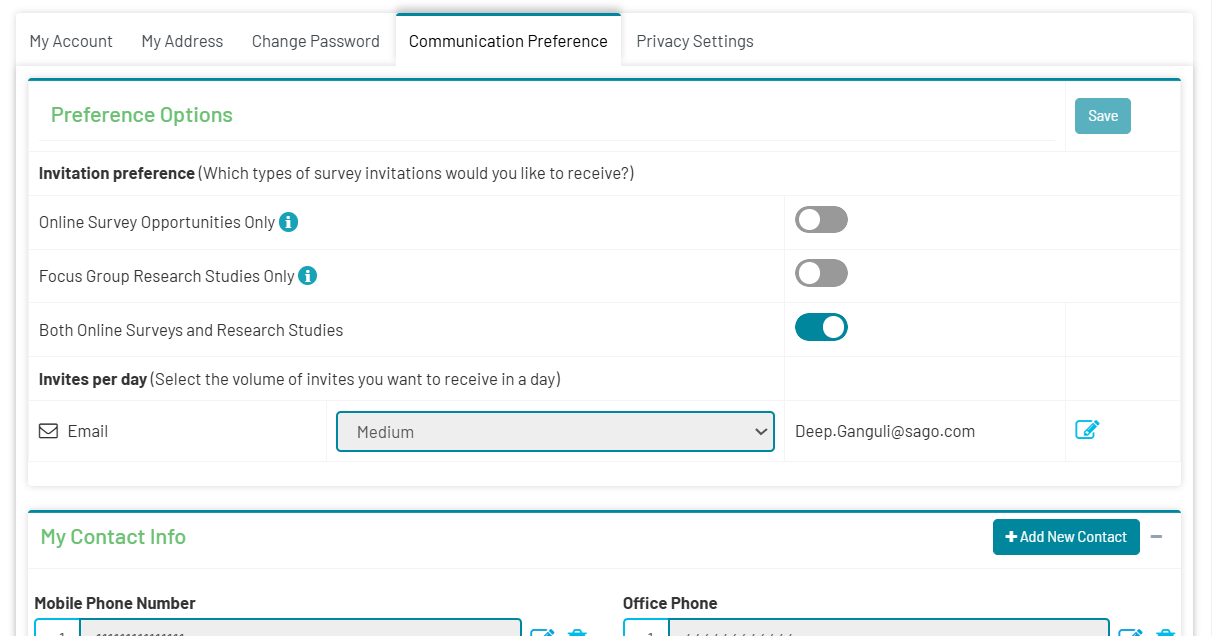
Online Survey Opportunities are short surveys with straightforward questions that you can complete remotely at your convenience. This is the survey invitation you will receive:
Focus Group Research studies involve longer sessions, either in person or online, where participants share opinions and take part in detailed discussions. This is the Focus Group Research Study invitation you will receive:
3. Once you’ve selected your preferred option, click the Save button in the upper-right corner of the page. A “Saved Successfully” pop-up will appear to confirm your selection.
4. To select the number of email invitations you’d like to receive. Click the pencil edit icon next to your email address. A drop-down menu will appear, allowing you to choose the volume of emails: Low, Medium, or High.
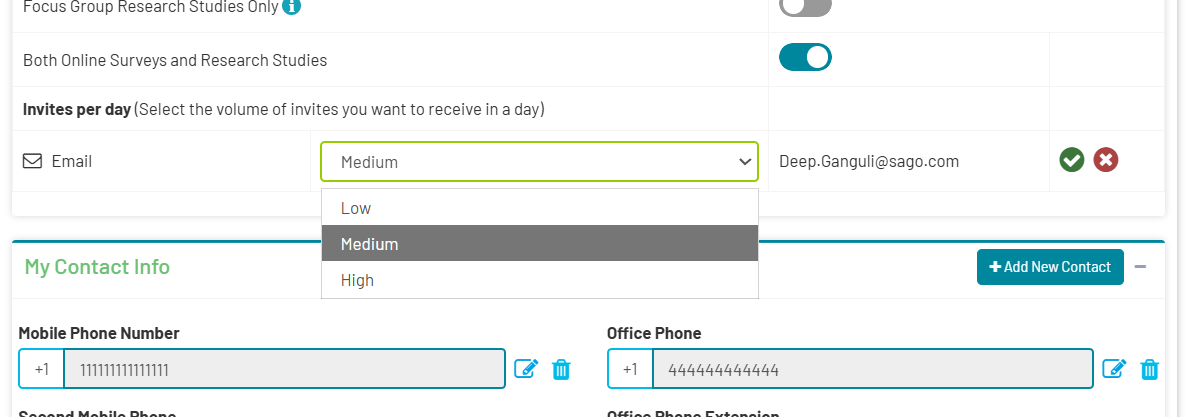
5. After selecting your preferred option, click the green checkmark button next to your email address to save your changes. A “Saved Successfully” pop-up will appear to confirm your update!